









If you spend any time researching land or commercial properties, you already know the drill. Pull parcel data here, check flood zones there, verify access points, copy numbers into your spreadsheet, then start over for the next deal. The information is useful. The process is tedious.
A new generation of AI tools is starting to change that equation. Two platforms—Claude Cowork and Land Portal—are being used together by some investors to automate the grunt work of property analysis. Whether that actually works in practice, and whether it makes financial sense for your portfolio, is worth a closer look.
What These Tools Actually Do
Claude Cowork is a desktop application developed by Anthropic that goes beyond typical chatbot interactions. Rather than simply answering questions, it can take control of your computer to perform tasks: browsing websites, moving files, executing multi-step workflows. One journalist used it to sift through thousands of emails to pull out messages relevant to a specific story—a task that Gmail's built-in AI couldn't handle. Claude Cowork succeeded where the built-in tool failed.
Land Portal is a property data platform. You search by address, owner name, APN, or coordinates, and it returns flood information, slope reports, AI-generated market analyses, comparables, and other parcel-level data that investors typically need before closing a deal.
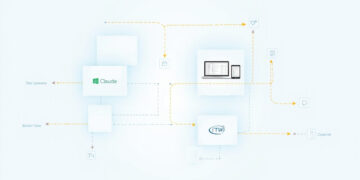
The appeal of combining them is obvious: Land Portal has the data, but gathering it still requires manual login, clicking, copying, and pasting. Claude Cowork can potentially handle that workflow in the background while you do something else.
Retipster described the combination as "like hiring a sharp college intern who works around the clock without getting tired or bored." That's a vivid image—but it raises the question of whether the reality matches the promise.
Our Analysis: Where This Helps and Where It Doesn't
For investors evaluating multiple properties per week, automated research could be genuinely valuable. The time spent on repetitive data gathering is time not spent on deal evaluation, networking, or due diligence that requires human judgment. Cutting that overhead could allow a single investor or small team to scale their pipeline without proportional increases in labor.
That said, a few things to consider before you sign up.
The cost is real.** Claude Cowork requires a paid plan. The $20-per-month tier exists but has usage limits that can be hit quickly depending on how much work you give it. One user noted upgrading to the $100-per-month plan to avoid those walls. For a solo investor, that's $1,200 per year—a figure that needs to be justified by genuine time savings.
Security is another factor.** Claude Cowork accesses your computer and, when connected, external services. Any time you're giving an AI system access to sensitive data, understand what it can and cannot do with that access, and be clear about when that access is active versus dormant. One approach: connect the tool, complete the task, then disable the connector.
There's also a setup trap.** Spending more time configuring an AI tool than you would have spent doing the task manually defeats the purpose. The workflows are unlikely to be plug-and-play from day one.
Who Should Care
Active land investors screening multiple deals per week:** These tools can reduce repetitive data gathering, freeing time for higher-value activities.
Solo investors or small teams:** Automation could let one person manage a larger pipeline without hiring administrative help.
Investors with standardized research processes:** If you already use checklists and consistent data points, automation fits naturally. If your process is fluid and judgment-driven, the setup friction may not pay off yet.
Security-conscious users:** Those handling sensitive deal information should evaluate access permissions carefully and disable connectors when not in active use.
What to Watch Next
The integration between AI agents and property data platforms is still early. Land Portal is one source; expect others to offer similar hooks as demand grows. Before committing to a subscription, map out your actual research workflow and test whether the tool fits your process rather than forcing your process to fit the tool.
Bottom line:** Automated property research is no longer science fiction. For investors handling volume—screening dozens of deals per month—the time savings could justify the cost. For those working fewer deals with more manual attention per deal, the setup friction may not be worth it yet. Watch this space; the tools are improving fast.
Key takeaways
- Claude Cowork is an Anthropic desktop application that can automate multi-step computer tasks
- Land Portal provides parcel-level property data including flood zones, slope reports, and AI market analyses
- Combining them lets investors automate repetitive research workflows
- Paid plans start at $20/month; the $100/month tier removes usage caps
- Security-conscious users should disable connectors when not actively in use
Frequently asked questions
Can Claude Cowork replace manual property research entirely?
Not yet. It handles repetitive, standardized tasks well, but it requires a defined workflow to work effectively. Judgment-heavy analysis still needs a human.
Is it worth the monthly cost for a solo investor?
Possibly, if you are screening multiple properties per week. Calculate how many hours you spend on data gathering and whether that time is better spent elsewhere.
Are there security risks in using these tools with property data?
Any tool with access to your computer or external accounts should be evaluated carefully. Use connectors only when needed and disable them afterward.
Does this work for commercial real estate, or only land?
The Land Portal integration described focuses on parcel-level data, which applies primarily to vacant land and raw development sites. Commercial income properties would require different data sources and analysis frameworks.
What skill level is needed to set this up?
Basic comfort with desktop software and defining repeatable steps helps. Non-technical users have successfully configured it, though initial setup requires some trial and error.